Video Editor

Features

PricingAlternativesArticlesAffiliates
Language

Music Release Marketing Platform

How to make your whole release in one platform

Escalium is a music release marketing platform for independent artists and labels. You upload your song once. Then you make the videos, build the pre-save link and see which post sent people to listen, all in the same account.

  • Free plan, $0 a month
  • Browser and desktop app
  • For artists, managers and labels

One release in Escalium

  1. Step 1

    Upload the song

    The lyrics are written for you

  2. Step 2

    Make the videos

    Lyric videos and your own edits

  3. Step 3

    Build the link

    Pre-save first, streaming after

  4. Step 4

    Read the clicks

    Which post sent listeners

Upload your song once, use it everywhere

With separate apps, you export from one, upload to another and copy links into a third. In Escalium everything starts from the song you uploaded. You never do the same thing twice.

  • The song and its lyrics are saved

    You upload the song one time. Escalium writes the lyrics and syncs them to your voice, word by word. You fix any line once, and every tool uses the fixed version.

  • The lyrics turn into your videos

    The same synced lyrics make every lyric video, in any style. In the Advanced Video Editor they become subtitles for your own clips, without typing them again.

  • Every video sends fans to one link

    The release gets one smart link with your artwork and the streaming buttons. You put it in every bio and caption. You can change the buttons later and the link stays the same.

  • The link counts what each post did

    The link records visits and clicks on each streaming button, and where people came from. So you can see if the TikTok video or the Instagram one sent more listeners.

  • Everything is there for the next song

    Your songs, videos and numbers stay in your account. When the next single comes, you start from what worked last time.

One release in Escalium, step by step

This is what you do inside Escalium, from the moment you have the song to the day you read the results. Each step uses what you did in the step before.

Upload the song and check the lyricsStep 1 · Your song
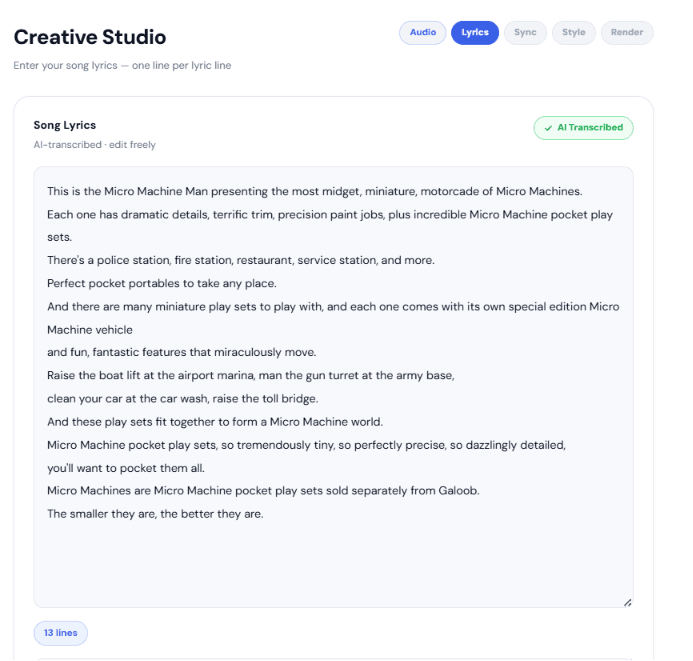
The lyrics step of the Escalium Video Editor, with the song's lyrics written by AI

Upload the song and check the lyrics

Upload the audio file. Escalium writes the lyrics and places each word at the moment you sing it. Read them and fix anything it got wrong.

  • Works in many languages
  • Fix a word or a line in a few clicks
  • The song stays in your account for every other step
Make the lyric videosStep 2 · Video Editor
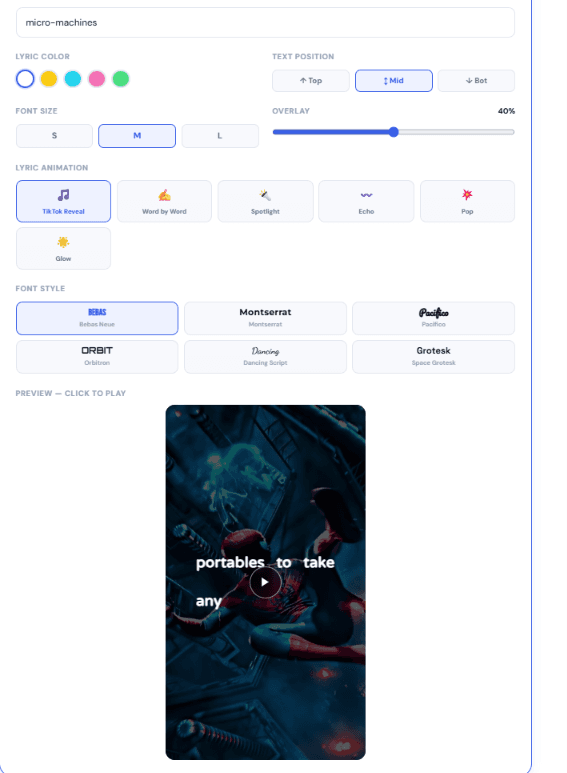
Choosing a lyric style in the Escalium Video Editor

Make the lyric videos

Pick the part of the song, a lyric style and a background. Escalium makes the video on your computer and you download an MP4. Make several: one per line, one per style.

Edit your own videosStep 3 · Advanced Video Editor
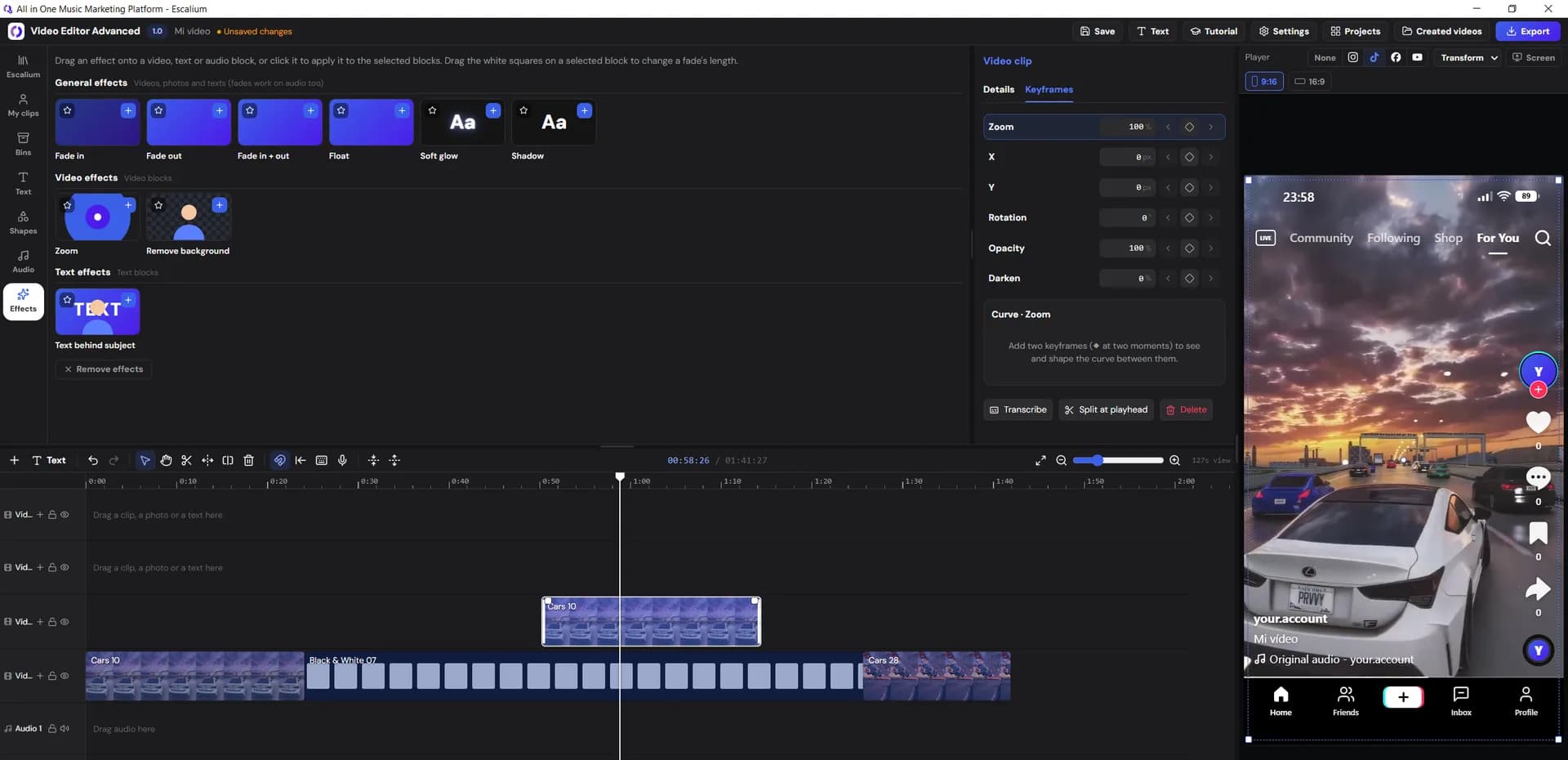
The Escalium Advanced Video Editor with clips on the timeline

Edit your own videos

Open your own clips in the Advanced Video Editor, in the browser or in the desktop app. Cut them, add subtitles from your lyrics and export the size each app needs.

Build the smart linkStep 4 · Smart link
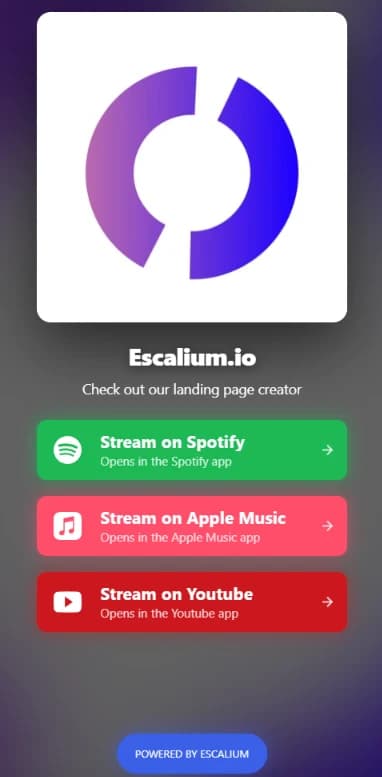
An Escalium smart link on a phone, with Spotify, Apple Music and YouTube buttons

Build the smart link

Make one page for the song with the artwork and the buttons to Spotify, Apple Music and YouTube. Before release day, add a pre-save so fans can save the song early.

Post, then read the numbersStep 5 · Results
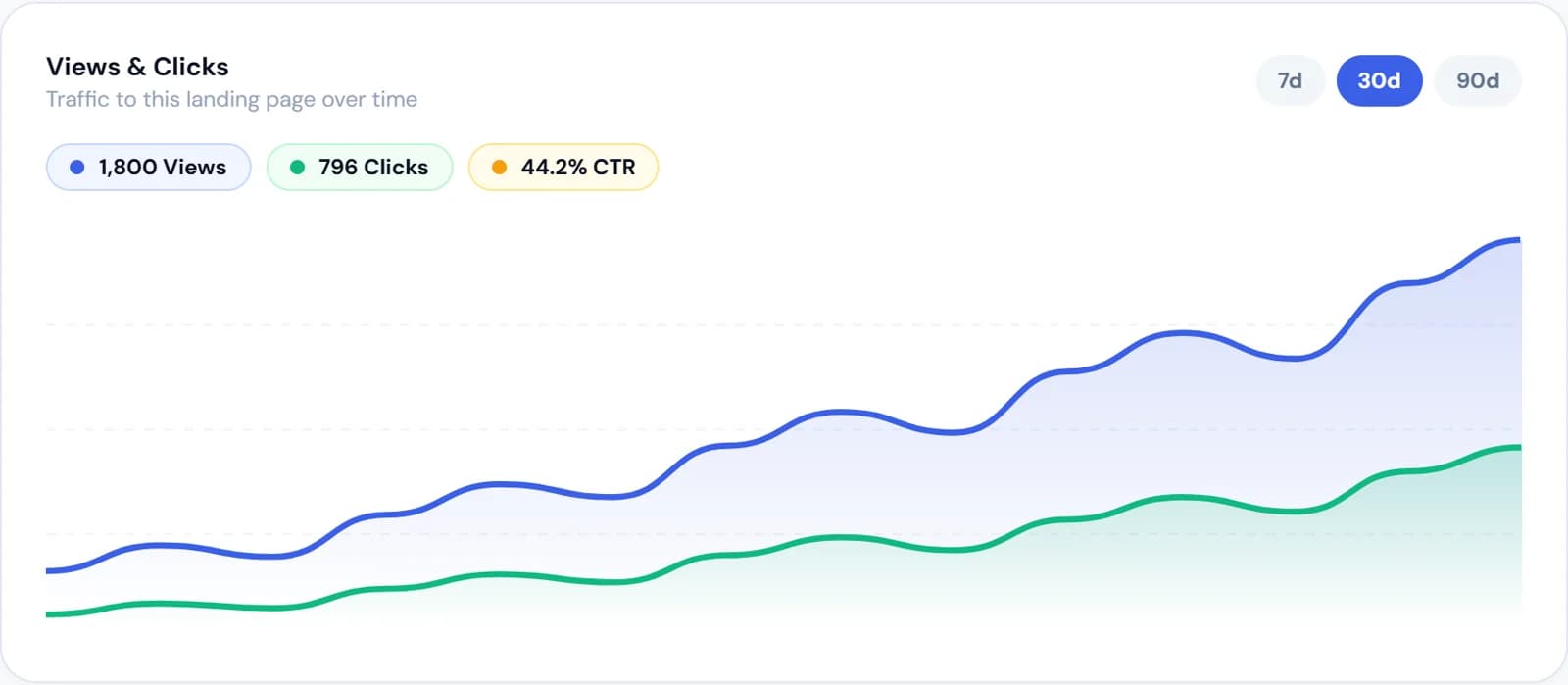
Escalium smart link stats: visits and clicks over time

Post, then read the numbers

You post the videos from your own accounts, with the link in your bio. Then open the link's stats to see which posts sent people to listen.

One smart link for the whole release

Every teaser, video and story should send people to the same page. If each post sends them somewhere else, you can't compare your posts. With one link, every visit lands on the same page and the page writes down what each visitor did.

  • A pre-save before release, the streaming buttons after
  • One song or several on the same page, with a player
  • The Meta pixel, so Facebook and Instagram ads can find visitors again
  • UTM tags (a short label at the end of the link) to tell one post from another
Build a smart link
A published Escalium smart link with streaming buttons, on a phone
Pre-saveSpotify clickNew visit

Escalium gets the release ready. You post it.

Escalium doesn't post on your social accounts and doesn't run ads for you. You post from your own TikTok, Instagram and YouTube. If you run ads, you do it in Meta Ads Manager or TikTok Ads Manager, so you control the money.

  • What Escalium does

    • Writes and syncs your lyrics
    • Makes lyric videos and your own edits on your computer
    • Builds the pre-save page and the smart link
    • Counts visits, clicks, sources, countries and devices
    • Lets a label run up to 20 artists from one account
  • What you do

    • Send the song to Spotify and the stores through your distributor
    • Post the videos on each app
    • Set up and pay for ads, if you want them
    • Answer comments and talk to your fans
    • Decide what to repeat on the next release

Which plan fits each release

Every plan has the same account and the same tools. What changes is how much of each you get.

  • Free

    $0/month

    To try a first release: 5 lyric videos a month using up to 30 seconds of the song, 1 smart link with 7 days of click stats, and the Advanced Video Editor with 1080p exports.

  • Video Editor Pro

    $15/month

    $12/month billed yearly

    Only the Advanced Video Editor, without limits: 4K exports, every effect, transition and template, and 5 hours a month of Escalium's transcription.

  • Creator

    $25/month

    $20/month billed yearly

    For a full release: 3 smart links, a pre-save campaign, the Meta pixel, full stats, 40 lyric videos a month using up to 1 minute of the song, and the full Advanced Video Editor.

  • Artist

    $49/month

    $39/month billed yearly

    For artists who release often: 20 smart links, unlimited lyric videos in 4K using the whole song, and 10 videos made at a time.

  • Label

    $129/month

    $103/month billed yearly

    For labels and managers: everything in Artist, unlimited smart links, up to 20 artists in one account and team access, with what each person can see.

Prices in US dollars. The pricing page lists every limit, plan by plan.

Compare every plan

Questions about a release platform

  • One place to get everything around a release ready: the videos for each app, the link fans click, the pre-save and the numbers that show what worked. In Escalium all of it starts from the same song, in the same account.

  • No. Each tool works on its own. You can only make lyric videos, or only build a smart link. Using them together just saves you from uploading and typing the same things again.

  • No. Escalium is not a distributor. You send the song to Spotify, Apple Music and the other stores through your distributor. Escalium is for the videos, the link and the numbers around the release.

  • No. You download the videos and post them from your own accounts. Ads are set up in Meta Ads Manager or TikTok Ads Manager. Escalium gives you the videos and a link with the Meta pixel, so you can see what each ad sent.

  • Three to four weeks before release day is a good minimum. That gives you time to build the pre-save link and post a few teasers. Check how long your distributor needs before you set the date.

  • Yes. The Label plan runs up to 20 artists from one account. You can invite your team and choose what each person can see.

  • Yes. You can connect Claude or ChatGPT to your Escalium account and ask the assistant to make lyric videos from your songs or build smart links.

Make your next release from one account

Upload the song today, make the videos this week and read the clicks after release day. The free plan is enough to try every step.

  • Free plan, $0 a month
  • Videos, editor and smart link
  • Numbers from the first visit
Start your release free
The Escalium Advanced Video Editor