Video Editor

Features

PricingAlternativesArticlesAffiliates
Language

Music promotion plan

What to do for your song before, on and after release day

This music promotion plan follows one song, from six weeks before it comes out to four weeks after. Each step says what to do, when, and which Escalium tool helps. You do the promotion. We give you the videos, the pre-save page, the link and the numbers.

  • For one song
  • No bought streams
  • 6 weeks before, 4 after
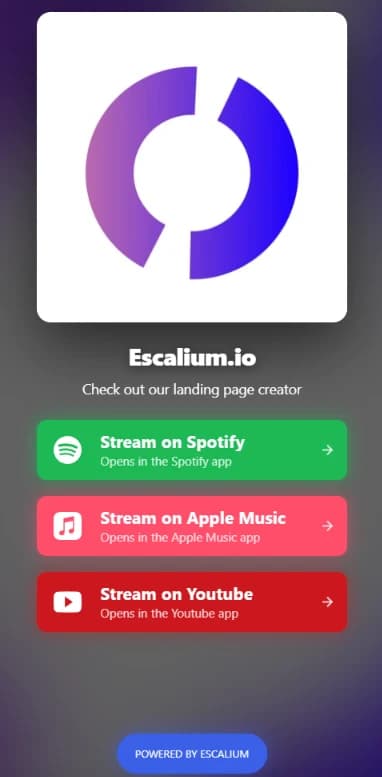
A published Escalium smart link for a song, with Spotify, Apple Music and YouTube buttons
Pre-save openOut todayClicks per platform

The six weeks before release day

Most of the work happens before the song is out. If you start late, you miss the Spotify pitch and you have nothing ready to post. Move the dates to fit your song, but keep the order.

Send the song to your distributor6 weeks before

Send the song to your distributor

Upload the song and the cover to your distributor (DistroKid, TuneCore, CD Baby or any other). The stores need time to process it. You can only pitch the song to Spotify's editors once it's in their system.

  • Release date fixed
  • Song and cover sent to your distributor
  • Cover saved in a square and a vertical size
Choose your 15 seconds and make the first videos5 weeks before
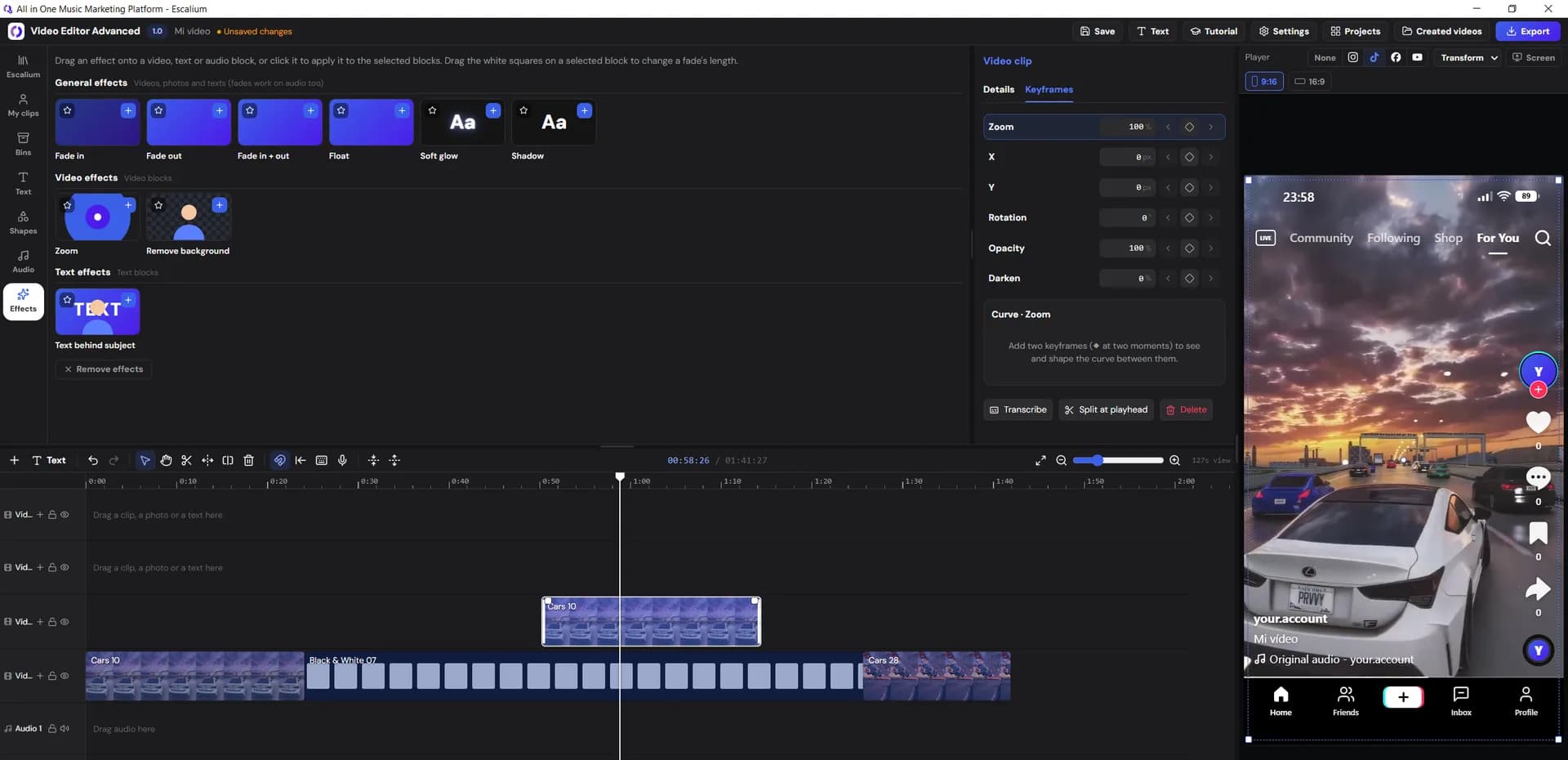
The Escalium Advanced Video Editor with a music video on its timeline

Choose your 15 seconds and make the first videos

Pick the 15 seconds people will remember: usually the hook or one line of the chorus. Almost every video you post will start there. Then make the first videos in one sitting, so you're never editing the night before a post.

Open the pre-save page4 weeks before
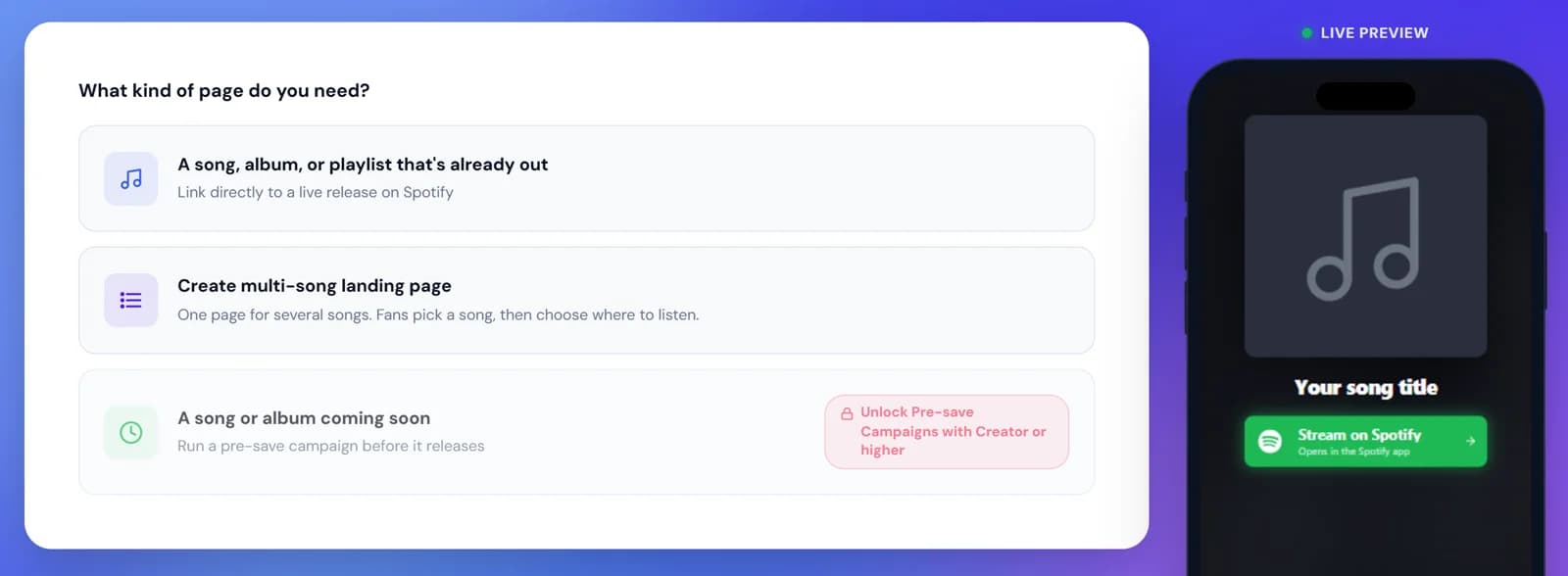
Escalium's smart link builder, where you choose a song page, a multi-song page or a pre-save

Open the pre-save page

A pre-save lets a fan save the song before it's out. On release day it appears in their library by itself. Put the pre-save link in your bio and under every teaser. In Escalium, pre-save pages come with the Creator plan and up.

Pitch the song and post teasers3 to 1 weeks before

Pitch the song and post teasers

Send the pitch to Spotify's editors from Spotify for Artists, at least 7 days before release. That way it also reaches your followers' Release Radar. Then write to a few curators who make playlists in your style. Keep it short: who you are, the song, why it fits, the link.

Get everything readyThe day before
A smart link made with Escalium, open on a phone with a button for each streaming platform

Get everything ready

Make the smart link: one page with a button for Spotify, Apple Music, YouTube and the rest. Open it on your phone from Instagram, TikTok and WhatsApp and tap every button. Choose tomorrow's video and write its caption.

Release day, from morning to night

On release day the song is out and your links change. Here is what to do and in what order, so you don't forget anything.

  • MorningChange your links

    • Swap the pre-save link for the smart link in your bio, pinned posts and captions
    • Check that the song plays on Spotify, Apple Music and YouTube
    • Tap every button of your smart link once more
  • MiddayPost your best video

    • Post the teaser that did best, or the lyric video of the hook
    • Upload it to each app directly, not as a link from another app
    • Pin it to the top of every profile
  • AfternoonTalk to your fans

    • Message the people who pre-saved or commented
    • Share it in stories, your WhatsApp group or your mailing list
    • Answer every comment in the first hours
  • NightWrite down your numbers

    • Smart link visits and clicks per platform
    • Followers and monthly listeners
    • This is your starting point for the next four weeks

The four weeks after release

Most songs grow after release day, not on it. Every new video is a new chance for someone to find the song. Keep going for at least four weeks.

  • Week 1Keep posting the same song

    Post a new video every one or two days. Change one thing each time: another line of the lyrics, another lyric style, a clip of you playing. Use the same smart link in every caption.

  • Week 2Turn long videos into short ones

    Have a live set, a studio session or an interview? Long to Short cuts it into vertical clips with subtitles, ranked by how good each moment is. The free plan includes 2 long videos a week, with a watermark.

  • Week 3Pay only for the video that worked

    Check which video sent the most people to your smart link. If you want to run ads, pay for that one. Send the ad to your smart link, not straight to Spotify, so you can count what it did. You run the ad in Meta or TikTok.

    Meta ads for musicians
  • Week 4Compare with release day

    Go back to the numbers you wrote down on release night and compare. Then answer the four questions below. Your answers are the start of the plan for your next song.

Four questions to answer after a month

You measure for the next song. Answer these four questions with real numbers and your next plan will be better than this one.

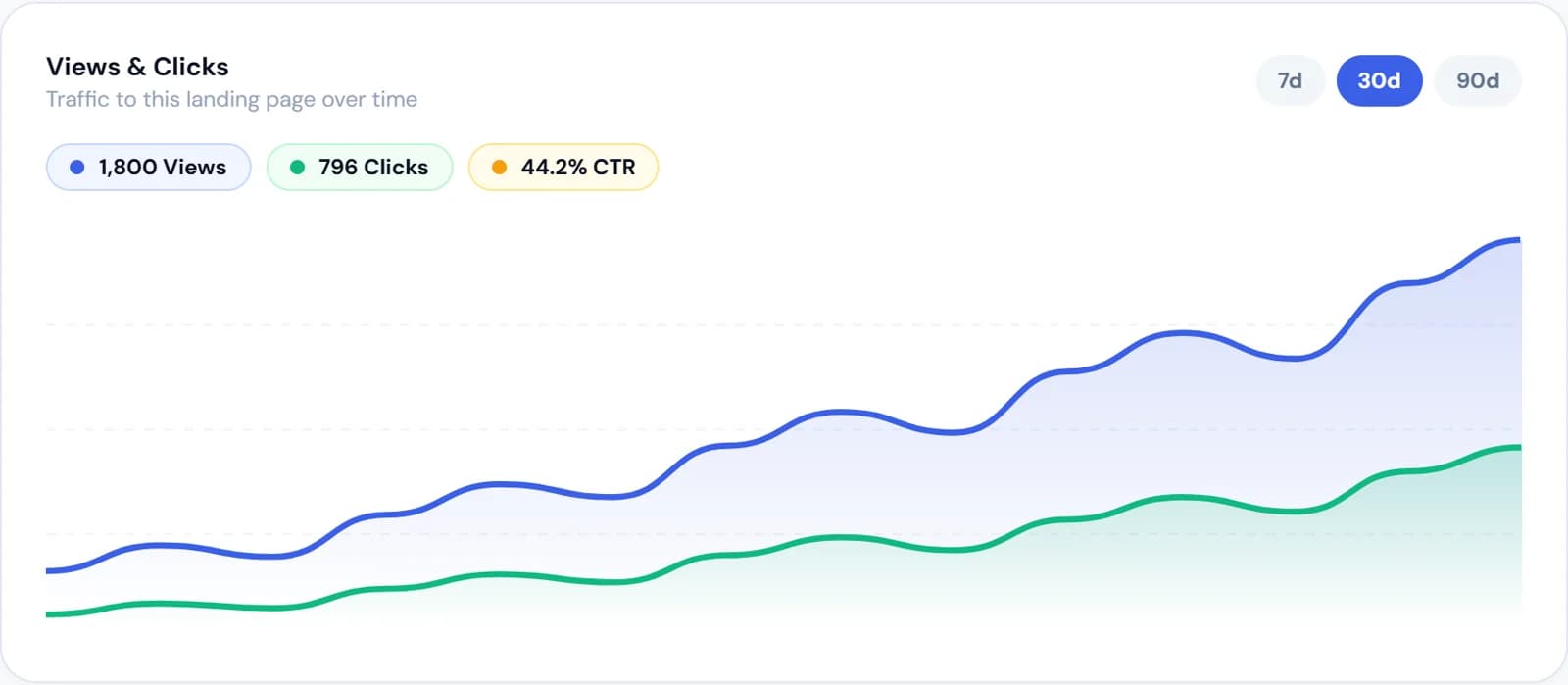
A smart link's views, clicks and click rate over 30 days in Escalium
  • Which videos made people listen?

    Look at clicks to Spotify or Apple Music, not views. Add a tag to the link you post on each app, like ?utm_source=tiktok. Escalium then shows which app each visit came from (Creator plan and up).

  • Which platform do your fans use?

    The clicks on each button of your smart link tell you if your fans are on Spotify, Apple Music or YouTube. Next time, pitch and advertise there first.

  • Where do they live?

    Your smart link shows the countries and devices of your visitors. It tells you where a show, a caption in another language or a local playlist makes sense.

  • Did they stay?

    Saves, follows and listeners who come back are in Spotify for Artists. Put them next to your smart link's clicks in Escalium to see which posts brought listeners who stayed.

Bought streams can get your song removed

Spotify and the other platforms delete streams they think are fake. They can also hold back your royalties or take the song down. If someone promises you streams or a playlist spot for money, say no. Escalium never sells streams, followers or playlist spots.

  • Signs of a fake promotion service

    • It promises a number of streams or followers
    • It guarantees a playlist spot if you pay
    • Its playlists have many followers, but nobody saves the songs
    • It can't tell you where the listeners come from
  • What you can do instead, for free

    • Pitch the song to Spotify's editors from Spotify for Artists
    • Write to curators who don't charge
    • Post short videos of the song every few days
    • Send fans to a smart link you can measure

Music promotion questions

  • Six weeks before release is ideal, four at the latest. You need that time to send the song to your distributor, pitch it to Spotify, open a pre-save and post teasers. Then keep going for at least four weeks after release day.

  • Everything in this plan except the ads is free: short videos, a pre-save page, a smart link, the Spotify pitch, writing to curators and talking to your fans. Escalium's free plan includes 5 lyric videos a month, Long to Short with 2 long videos a week and one smart link with the last 7 days of clicks.

  • No. Services that guarantee a spot for money often use playlists with fake or inactive listeners. Platforms can delete those streams or the song. Pitch Spotify's editors for free from Spotify for Artists, and write to curators who don't charge.

  • It helps most if people already follow you: a fan who likes a teaser saves the song, and it's in their library on release day. If you have very few followers, spend the time on videos instead. In Escalium, pre-save pages come with Creator (one campaign) and with Artist and Label (unlimited).

  • Many more than one. Post a new video every one or two days during the whole plan, and change something each time: the line, the lyric style or the footage. Pick a pace you can keep for ten weeks.

  • Yes. Make it longer and give each phase one main song. Use a multi-song smart link, so every song has its own buttons on one page. The free plan allows 2 songs per page, Creator 3, and Artist and Label unlimited.

  • No. Escalium makes the videos, the pre-save and smart link pages and shows you the numbers. You post the videos on your own profiles and run ads from Meta or TikTok. Escalium doesn't sell streams, followers or playlist spots.

Get your next song ready to promote

Make the videos, the pre-save page and the smart link for your next release. Then see which post sent people to Spotify, Apple Music and YouTube.

  • Lyric videos synced to your song
  • Pre-save and smart link pages
  • Clicks per platform and per app
Start your plan free

Free plan · No card needed

A published Escalium smart link on a phone