Step 1
Create your videos
Use the video editor inside Escalium to create your videos: choose the advanced video editor to customise them however you want, or use the basic video editor to make them in minutes.
See the video editor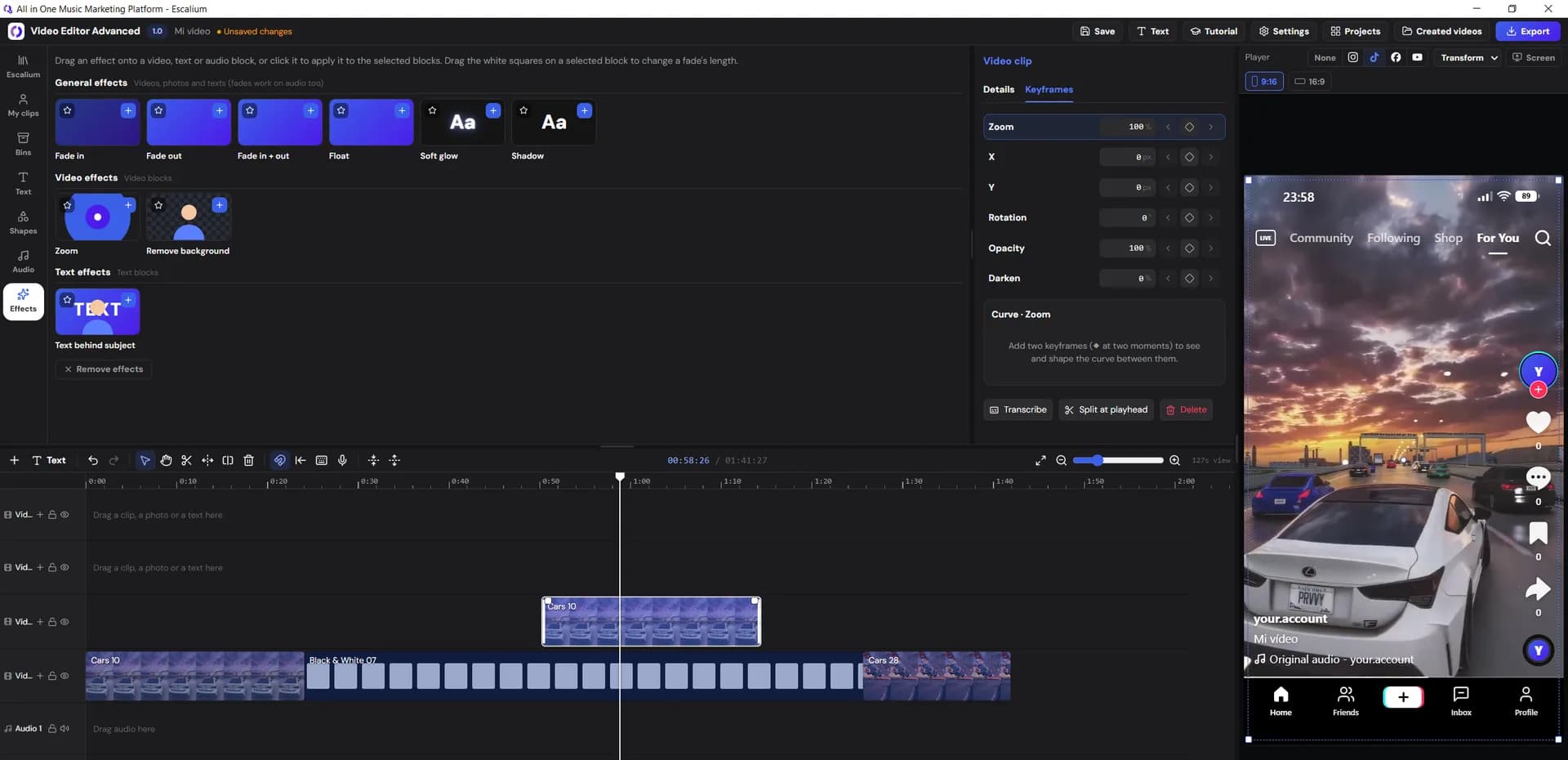
Facebook and Instagram are still the cheapest place to find new listeners. Escalium gives you the two things every music ad needs: a video that stops the scroll and a smart link that tracks every click.
Basic or advanced
Video creative
Pixel + analytics
3B+
people on Facebook, Instagram and Messenger
Meta's ad system reaches more than three billion people across Facebook, Instagram and Messenger, and its algorithm is very good at one thing: finding more people who behave like the ones who already engaged with your ad. For a song, that means it can find listeners who watch music videos to the end, follow artists like you and tap through to streaming apps.
100%
of your spend measurable
Unlike paying for playlist placements, every euro you spend on Meta is measurable. You decide the budget, the audience and the creative, and you see what each one costs. Done well, a small daily budget can build a base of real fans who save your songs and come back for the next release.
€5
a day is enough to start testing
The good thing is that Meta optimises for what you tell it to. If you send traffic straight to Spotify, Meta never learns who actually listened. That's why the artists who get the best results send their ads to a landing page with the Meta pixel first.
Everything a music ad needs, in one place: from the video to the campaign.
Step 1
Use the video editor inside Escalium to create your videos: choose the advanced video editor to customise them however you want, or use the basic video editor to make them in minutes.
See the video editorStep 2
Create a landing page for one song or several, and don't forget to add your Meta pixel in the last step so you can run your campaigns.
Create a smart link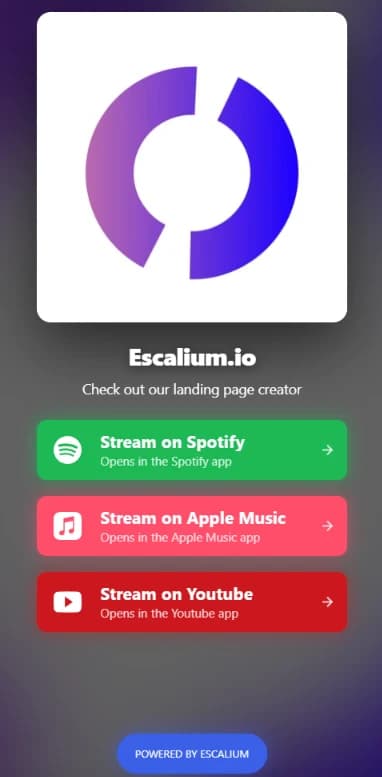
Step 3
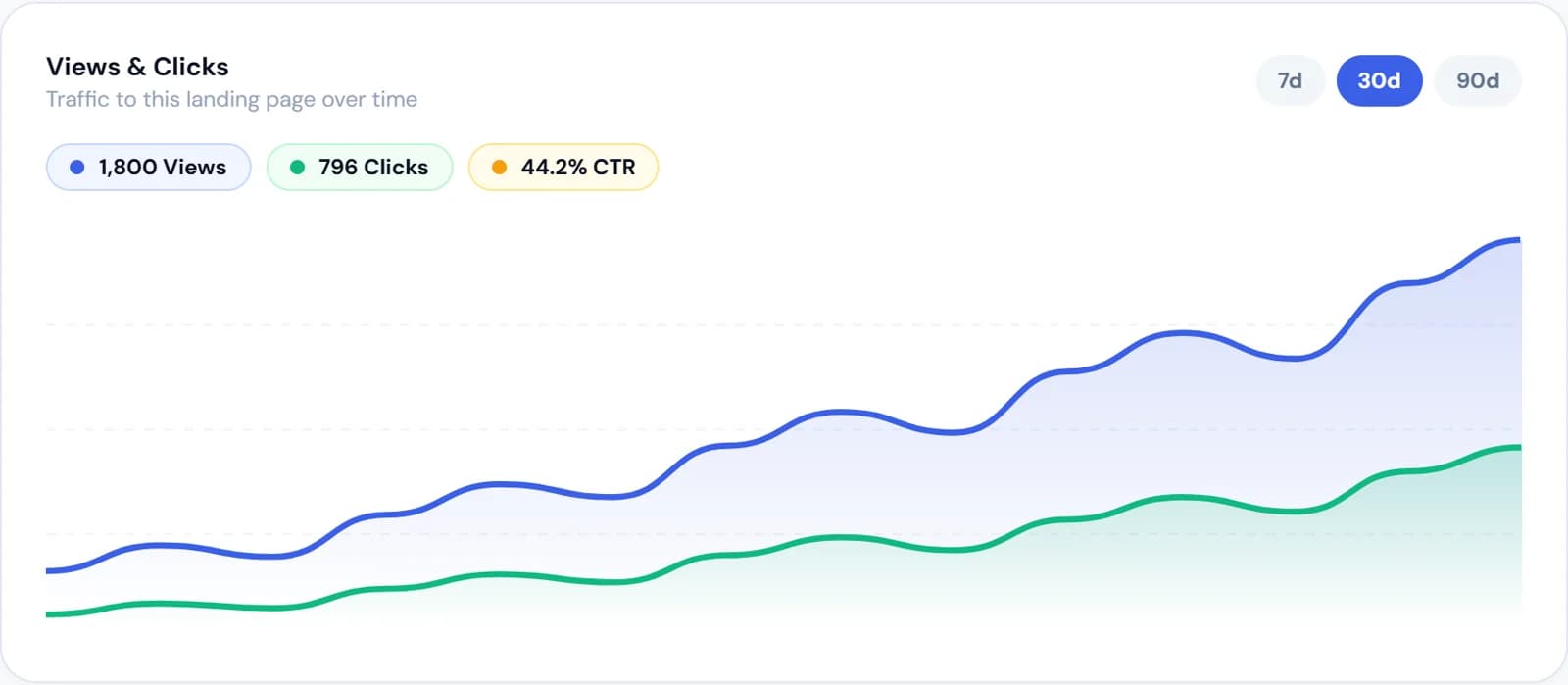
Your landing page shows every click from the ad and the platform each fan picked. Compare it with Spotify for Artists to see which ads bring listeners who stay.
Step 4
Head over to Campaigns and create a campaign already optimised for songs and playlists: just add your videos and choose your landing page.
Step 5
Now it's time to wait at least 2 days to see how your ads perform.
We give you some advice to create winning ads and start getting streams from the first day.
The intro of your ad should start with a build-up of your song or with its best part, combined with lyrics that engage and a visual hook.
Our experience tells us that titles are what keep people engaged until the end of the video. For example: “Wait for the drop”.
A call to action is necessary to guide people into taking an action: add a “Listen now” animation inside the video.
Likes and views make a campaign look busy. These tell you if it's working.
| Metric | What it tells you | Where to see it |
|---|---|---|
| Cost per landing page view | What it costs to get one person onto your song's page | Meta Ads Manager |
| Click rate on the page | How many of those visitors go on to a streaming platform | Escalium smart link analytics |
| Clicks per platform | Whether your audience listens on Spotify, Apple Music or YouTube | Escalium smart link analytics |
| Cost per streaming click | Your real cost to send one listener to a platform | Ad spend ÷ streaming clicks |
| Saves and new listeners | Whether the people you paid for stayed | Spotify for Artists |
Benchmarks change by genre, country and season: compare your campaigns against each other rather than against someone else's numbers.
Use a pre-save page instead: fans save the track before release day, and it lands in their library when it comes out (Creator plan and up).
Start small: five to ten euros a day for a week is enough to compare creatives. Once one gets clicks to streaming platforms at a cost you're happy with, raise the budget gradually rather than all at once.
It's better to send it to a smart link with your Meta pixel. Meta then learns who clicked through to listen, you see clicks per platform, and listeners can choose Apple Music or YouTube too.
Not yet. Campaign creation and automatic optimisation from Escalium are coming soon. Today Escalium makes your video creatives and the smart link with the Meta pixel that your ads send people to.
Vertical video, the strongest part of the song in the first seconds, and big readable text. Lyric videos work especially well because people read along even with the sound off.
Yes, to make your first videos and smart link. The free plan includes lyric videos, the Advanced Video Editor with some limits and 1 smart link. To add your Meta pixel to the smart link and see where every click comes from, you need the Creator plan or above.
Create the video and the smart link for your next campaign in minutes, free.
Free plan · No card needed